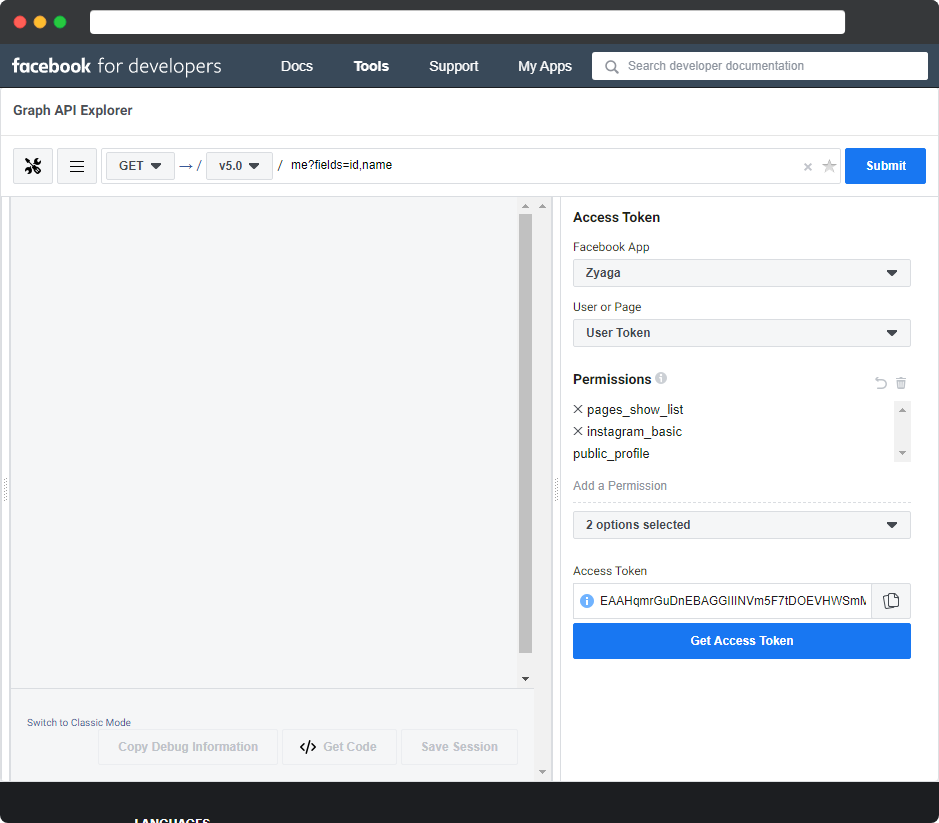
Get a Facebook API access token and extend it
Let’s say you’re trying to write some code that pulls in your Instagram photos to your website so that you can show them off. Should be simple, right?
Well, with Instagram’s new Facebook API there are quite a few hoops to jump through. The most annoying being that you need to generate an access code. This code is what allows you to make API calls to get your photos. While the documentation is what I would call thorough, it’s not exactly simple.
Before you get started, you’ll need to do a few things first:
- Create an Instagram account
- Turn your Instagram account into an Instagram Business or Creator account
- Create a Facebook Developer account
- Create a Facebook page
- Connect an Instagram account to your Facebook page
- Create a Facebook app with Basic settings
Once you’ve completed the above steps, you’re ready to move on.
First browse to https://developers.facebook.com/tools/explorer
Subscribe to read my thoughts as I think them.
Are you ready to take the next step and find out what I can do for you?
send me a message